


djay - DJ App & AI Mixer
3.85.49K Reviews
App Specs
- Version
- Varies with Device
- Updated On
- License
- Free
- Downloads
- 10,000,000+
- Developer
- Algoriddim
- Categories
- Music & Audio
- Platform
- Android, iOS
Screenshots

 Analysis by AppCompare
I’d approach djay - DJ App & AI Mixer as a way to learn the shape of a DJ mix, not as a magic button that turns any playlist into a finished set. It is a music and audio app from Algoriddim, and the appeal is easy to understand: two virtual decks make familiar songs feel like material you can work with. If you are curious about beatmatching, transitions, or simply making a gathering feel more personal, it gives you a low-pressure place to try.
The app is free to install, with in-app purchases ranging from $6.99 to $49.99 per item. Its age rating is Everyone, and it has reached over 10 million installs, with an average rating of 3.9 from around 222,000 ratings. Those figures suggest a widely tried app, but they do not tell you whether its particular workflow will suit you. I’d treat the free starting point as a chance to see whether mixing on your screen feels enjoyable before spending anything.
Getting Started with djay
First things first, installing djay - DJ App & AI Mixer was a breeze. Available on both Android and iOS, all you need is a quick download, and you're good to go. The interface is sleek and intuitive, which means you won't be scratching your head trying to figure out what to do.
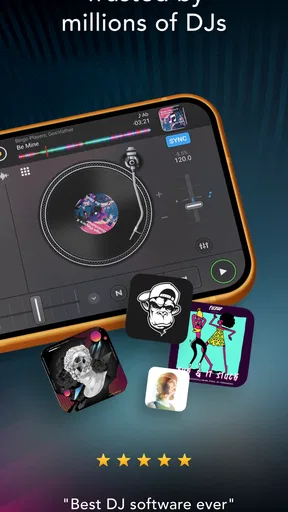
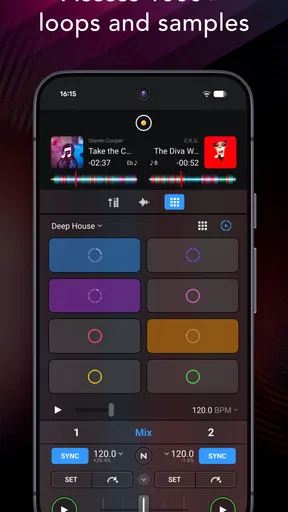
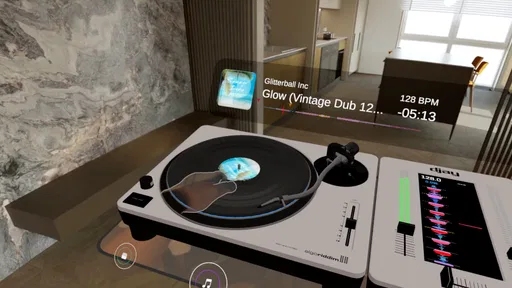
Once you open the app, you're greeted with a virtual turntable setup that immediately gives you that DJ vibe. It's like stepping into a digital music paradise. The app connects seamlessly to your music library, so you can start mixing your favorite tracks right away.
Features That Make You Go Wow
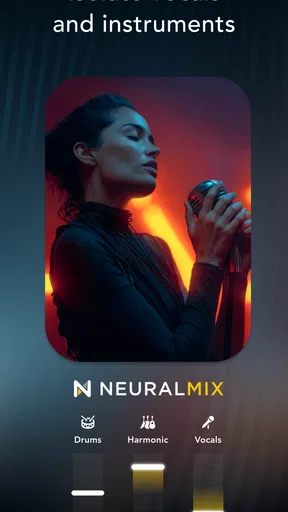
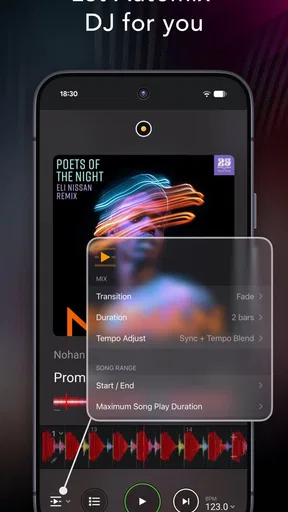
The app is packed with features that would make any DJ smile. AI-powered mixing is one of the standout features. It's like having a co-pilot that suggests transitions and effects to keep the party going. The AI can analyze your tracks and automatically create smooth transitions, which is perfect if you're just starting out.
If you're into scratching, the app's turntable interface will be your best friend. It's responsive and gives you that authentic vinyl feel. Plus, you can loop and cue tracks with ease, making it simple to add your personal touch to any mix.
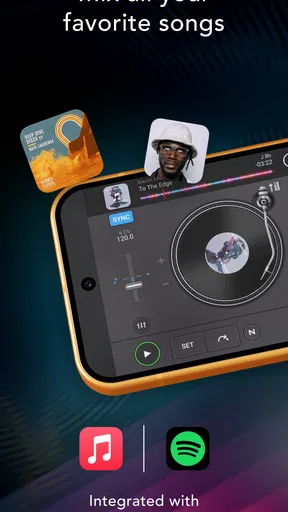
Another cool feature is the integration with streaming services. You can access millions of tracks from platforms like Spotify (if you have a premium account) directly within the app. This means your song selection is virtually limitless, allowing you to keep the playlists fresh and exciting.
Worth Reading Before You Choose

EA SPORTS FC Mobile 26 Is a Bigger Football Game, but It Takes Time

Flipboard Shows What News Apps Must Do Beyond the Feed

Switching to Android Auto Means Rethinking Your Driving Routine

Google Calendar Makes a Crowded Week Easier to Manage

Ludo King Makes the Most of the Minutes Between Plans

Baby Panda World Brings Quick Play to Modern Phones, but Its Game Library Feels Busy
Performance and Usability
Performance-wise, the app runs smoothly. I didn't experience any lag or crashes, which is crucial when you're in the middle of a set. The developers have done a fantastic job ensuring the app is stable and reliable, so you can focus on the music without any worries.
As for usability, the app is designed to cater to both beginners and professionals. Beginners can rely on the AI features to help them out, while pros have access to advanced tools like EQ controls and sound effects to fine-tune their mixes. It's a win-win situation!
Can You Feel the Beat?
One of the things I absolutely love about this app is the ability to create and save your own mixes. You can record your sessions and share them directly from the app, which is perfect for showcasing your skills on social media or just sharing with friends.
The app also supports various hardware controllers, so if you're someone who prefers a tactile experience, you're covered. Plug in your controller, and you can enjoy a more hands-on approach to DJing.
A Calm First Session Beats a Party Test
For a first run, I’d choose two tracks I know well and spend a few minutes listening to their openings and endings before touching the controls. Load one on each deck, start the first, then bring in the second at a point where its rhythm makes sense. Even if the automatic transition helps, hearing where the change feels natural teaches you more than letting the app make every decision.
A useful small exercise is to cue the incoming track, listen briefly, and adjust its level before bringing it forward. That separates two jobs that beginners often confuse: choosing when a song should enter and deciding how loud it should be. Try a short blend first, then repeat it with a different section of the same tracks. This gives you a concrete way to notice how timing changes the mood without needing a long playlist or a performance-ready set.
For an everyday scenario, imagine friends arriving for dinner while you are finishing the food. A prepared pair of familiar songs can provide a gentle transition from background listening to a more upbeat mood. I would set this up before guests arrive rather than browse for tracks while people are waiting. The app is most reassuring when you use it as a creative tool in a relaxed moment, not as a substitute for planning every song on the fly.
What the Automatic Help Can—and Cannot—Do
Automatic mixing is useful for getting past the blank-page feeling: it can offer a starting point when you do not yet know how to connect two tracks. I would still listen closely before relying on a suggested transition. A technically smooth handoff can feel wrong if the songs have very different energy, vocals overlap awkwardly, or the moment you want to preserve gets cut short. Treat the feature as a draft you can learn from, rather than a guarantee that every combination will sound intentional.
That distinction matters if you are preparing music for other people. For a casual room, a transition that is slightly imperfect may be no big deal. For a planned set, I’d rehearse the order and listen through the full change, because a cue point or blend that works in isolation may not fit the mood of the next few songs. The app can help you experiment, but your ears still make the final call.
Library Choices and Practical Trade-Offs
Before you build a session around a track, check that it is actually available to you in the way you intend to play it. A music library and a streaming catalog are not interchangeable: access can depend on the service and account you use, and a track you can browse is not automatically a track you should assume will be ready in every situation. I’d test the exact songs you want before a gathering, especially if your mix depends on a less familiar selection.
For a dependable first experiment, use a couple of tracks you already know and can access without last-minute searching. That makes it easier to judge the transition rather than wonder whether a song has loaded or whether you chose the right version. It also helps you understand what the app can do with your own listening habits before deciding whether extra catalog access or paid options matter to you.
The free entry point lowers the barrier, but the in-app purchase range is broad enough that I would avoid buying anything just because a feature sounds impressive. First identify a specific limitation you have run into, then decide whether an upgrade addresses it. If all you want is the occasional playful blend at home, you may be perfectly content exploring without spending. If you find yourself returning to the app and wanting more control, that is a better time to assess the paid choices.
Choosing the Right Setup for Your Hands and Ears
Touchscreen decks are convenient because the controls are already in your hand, and they make quick experiments easy. They are also a compromise: a screen cannot reproduce the spacing and physical feedback of dedicated knobs and jog wheels. If your goal is to learn the feel of hardware, a supported controller may make practice more satisfying. If you mainly want to test song pairings while travelling or relaxing on a sofa, the phone interface is the more convenient choice.
Headphones are worth using when you want to hear the incoming track without making the whole room listen to every false start. They make cueing practice less awkward and help you focus on the relationship between the two songs. For casual listening, the device speaker may be enough to explore controls, but it is not the best way to judge a mix you plan to play through a room’s sound system. I’d do the careful listening before the event and keep the live setup simple.
There is also a difference between making a mix and sharing one. Recording a practice session can help you notice whether your transitions drag, arrive too early, or sound uneven when you hear them back. Sharing can be fun, but I would check the finished recording before sending it to anyone; a live experiment may include pauses or mistakes that you barely noticed while concentrating. That quick listen-back turns recording into a learning tool rather than just a way to capture whatever happened.
Where It Sits Among DJ Apps
Compared with a standard music player, this app asks you to take an active role: you choose how tracks meet instead of simply letting a playlist move from one song to another. Compared with dedicated desktop DJ software, a phone app is easier to pick up spontaneously, but the smaller touchscreen is less comfortable for long sessions and precise, repeated adjustments. I see it as a practical bridge between listening and learning to mix, rather than a replacement for every professional setup.
That makes it a particularly good fit for curious beginners, casual home mixers, and people who enjoy shaping the soundtrack for a small get-together. It is less suitable if you want a straightforward player that requires no attention, or if your priority is a full-size control surface and a carefully rehearsed live workflow. In those cases, a conventional player or a computer-based setup may match your needs better. The right choice depends less on which app has the longest feature list and more on whether you want to interact with the music.
Can You Feel the Beat?
One of the things I absolutely love about this app is the ability to create and save your own mixes. You can record your sessions and share them directly from the app, which is perfect for showcasing your skills on social media or just sharing with friends.
The app also supports various hardware controllers, so if you're someone who prefers a tactile experience, you're covered. Plug in your controller, and you can enjoy a more hands-on approach to DJing.
Who Should Start, and Who Should Pass
If you are wondering whether you need DJ experience, I would not let that stop you. The two-deck layout gives you a clear place to begin, and automatic assistance can make experimentation less intimidating. You do not need to make a polished set on your first day. A satisfying first success might simply be getting two songs to meet without an abrupt stop, then understanding what you changed to make that happen.
I would hesitate to recommend it to someone who only wants an effortless queue of songs in the background. Mixing asks for choices and attention, even when the app lends a hand. It is also not my first recommendation for someone who already knows they need a complex, hardware-led setup for regular performances. The app can be an enjoyable companion for practice and informal use, but choosing a more physical or desktop-focused workflow may be sensible if that is the experience you want from the outset.
Final Thoughts
In a nutshell, djay - DJ App & AI Mixer is a powerhouse of an app that’s perfect for anyone looking to explore the world of DJing. Whether you’re mixing at home or spicing up a party, this app has got your back. It's user-friendly, packed with features, and just a ton of fun. So, if you’re ready to unleash your inner DJ, give this app a spin. You won't be disappointed!
Remember to keep your device charged and your playlists ready because once you start, you won't want to stop. Happy mixing!
Pros
- Intuitive interface for easy mixing.
- Seamless Spotify integration.
- Real-time AI mix suggestions.
- Wide range of sound effects.
- Customizable DJ setup options.
Cons
- Requires premium subscription for full features.
- Spotify integration needs internet.
- High battery usage during mixing.
- Limited free content options.
- Occasional lag on older devices.
FAQs for djay - DJ App & AI Mixer
What features does djay - DJ App & AI Mixer offer?
djay offers a variety of features including seamless integration with popular music streaming services, powerful AI-driven mixing capabilities, and a user-friendly interface. It also includes features like auto-mixing, beat matching, and a wide array of effects to enhance your DJing experience. These features make it suitable for both beginners and professional DJs.
Is djay - DJ App & AI Mixer compatible with my device?
The djay app is available for both Android and iOS devices. It requires a relatively up-to-date operating system to function smoothly. It’s advisable to check the app store listing for specific OS requirements to ensure compatibility with your device before downloading.
Does djay offer a free version, or is it only available as a paid app?
djay offers a free version with basic features, which is great for beginners or those wanting to try out the app. However, to access advanced features and the full potential of the app, there is a subscription model available. This premium version unlocks additional tools and effects for a more professional experience.
Can I use my own music library with djay - DJ App & AI Mixer?
Yes, djay allows you to access and mix tracks from your own music library. Additionally, it integrates with streaming services like Spotify (subject to regional availability) and TIDAL, giving you access to millions of songs. This flexibility ensures you have a vast array of music to choose from while DJing.
How does the AI Mixer function work in djay?
The AI Mixer in djay uses advanced artificial intelligence to automatically mix tracks with precision. It analyzes song structures, beats, and transitions to create seamless mixes without manual input. This feature is particularly useful for both novice DJs looking to learn and seasoned DJs seeking efficiency during live performances.


